Domains
Every Chevereto Cloud application starts with a free sub-domain. However, you can choose to use your own brand identity at any time.
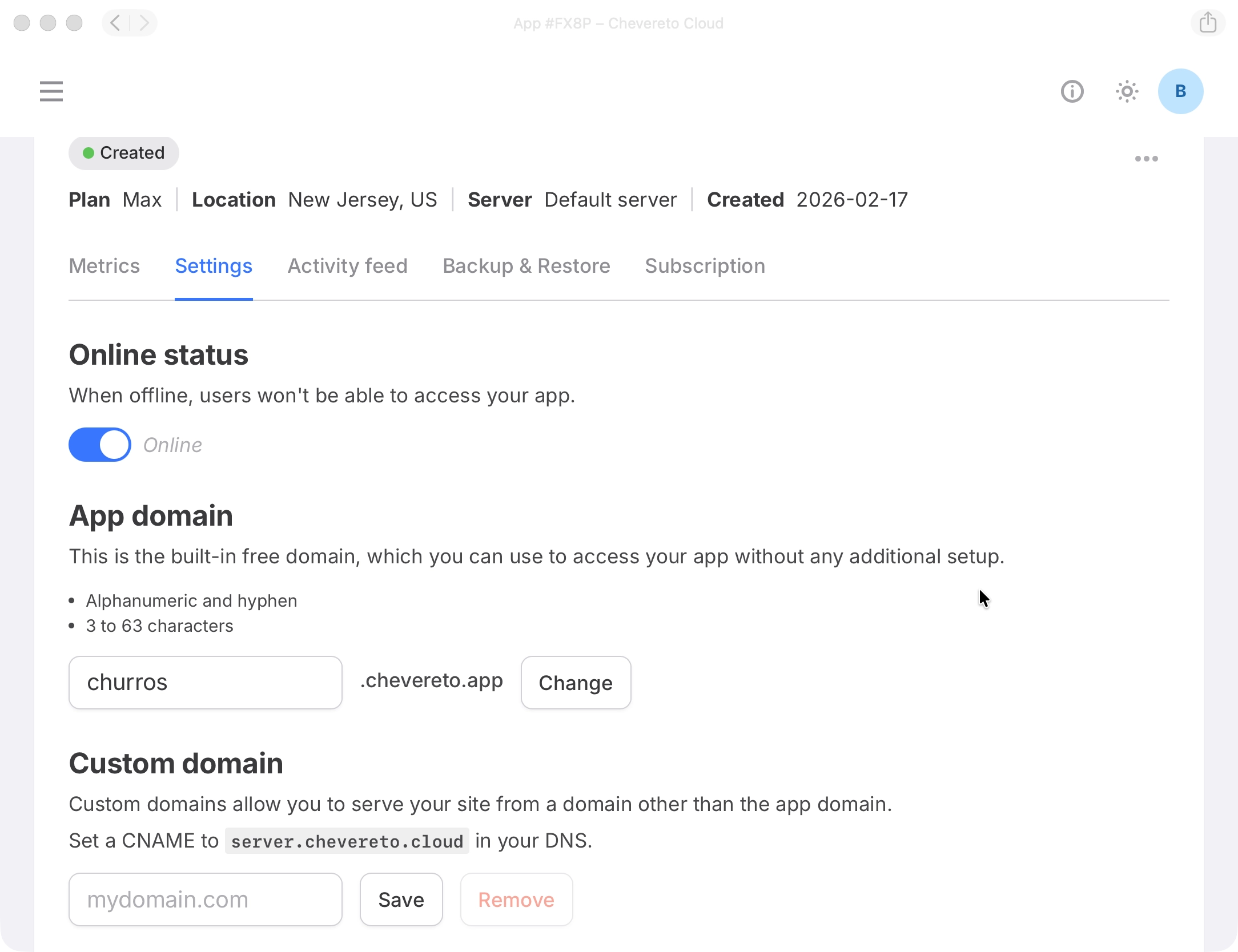
Chevereto.app domain
This is your application's built-in address, available immediately without any configuration. Use it to get started right away or as a permanent home for your application.
- Go to your Application Settings.
- Enter the new name you want for your
chevereto.appdomain. - Confirm changes.
Custom domain
Point your own domain to your application for a fully branded experience, such as media.yourbrand.com.
If you do not own a custom domain yet, register one with a domain and DNS provider first. We recommend providers that support CNAME flattening (also called ANAME or ALIAS), such as Cloudflare, AWS Route 53, and DNSimple.
In your Application Settings, enter your custom domain name and save. This registers the domain and starts the DNS check. You can do this before or after updating your DNS records.
Point your domain
At your DNS provider, add or update a record so your domain points to app.chevereto.cloud.
Add the Certificate DV record
Once the DNS check succeeds, a Certificate DV section will appear showing a TXT Record name and its content. Add this TXT record at your DNS provider exactly as shown. It is required both to validate domain ownership and to issue the SSL certificate.
Once the TXT record propagates, the certificate will be provisioned automatically and your application will be accessible via your custom domain.
Apex domains
Custom domains work with any subdomain (for example, media.yourbrand.com). Apex domains (for example, yourbrand.com) are supported for DNS providers that support CNAME/alias flattening (also called ANAME or ALIAS records).
Not every DNS provider supports flattening. Cloudflare, AWS Route 53, and DNSimple are examples of providers that do.
Confirm support with your provider before using an apex domain.