Storage
Where your media live matters. Connect external storage to own your data, scale without limits, and keep your files portable.
Supported Providers
Chevereto supports AWS S3 and any S3-Compatible storage plus a variety of other providers, including Alibaba Cloud, Microsoft Azure, and more.
For most providers, configure the Storage URL on top of a CDN URL to reduce bandwidth costs and improve delivery performance.
- Amazon S3
- S3 compatible
- Vultr Object Storage
- DigitalOcean Spaces
- Dreamhost Cloud Storage
- Minio
- Tencent Cloud Object Storage
- Wasabi
- Alibaba Cloud
- Microsoft Azure
- Backblaze B2
- Google Cloud
- OpenStack
CDN Support
When someone opens your site, every media file has to travel from wherever it is stored to their device. Storage providers typically charge for this transfer, and those costs add up quickly as your traffic grows. If your storage is in one region and your visitors are spread across the world, that can also mean slow loads on top of high bandwidth bills.
A Content Delivery Network (CDN) solves this by copying your files to servers around the world and serving each visitor from the nearest one. The result is faster load times for everyone and lower costs for you.
Most storage providers either include a CDN or integrate with services like Cloudflare or Bunny. Chevereto lets you set a custom URL per storage, so you can point it to your CDN and all media links will be served through it automatically.
External Storage
Chevereto Cloud requires an External Storage provider to store your media. Here is why this is actually an advantage:
- Data Sovereignty Your media never live on our servers. You own the bucket, the keys, and the data.
- Infinite Scalability Never worry about disk space. External providers allow you to store terabytes of data that grow with your needs.
- Portability If you ever decide to move to a self-hosted server, you don't need to migrate your files. You simply point your new installation to your existing bucket.
- Cost Efficiency Choose the provider that best fits your budget (e.g., Backblaze B2 for low-cost storage or Cloudflare R2 for zero egress fees).
Upload Storage
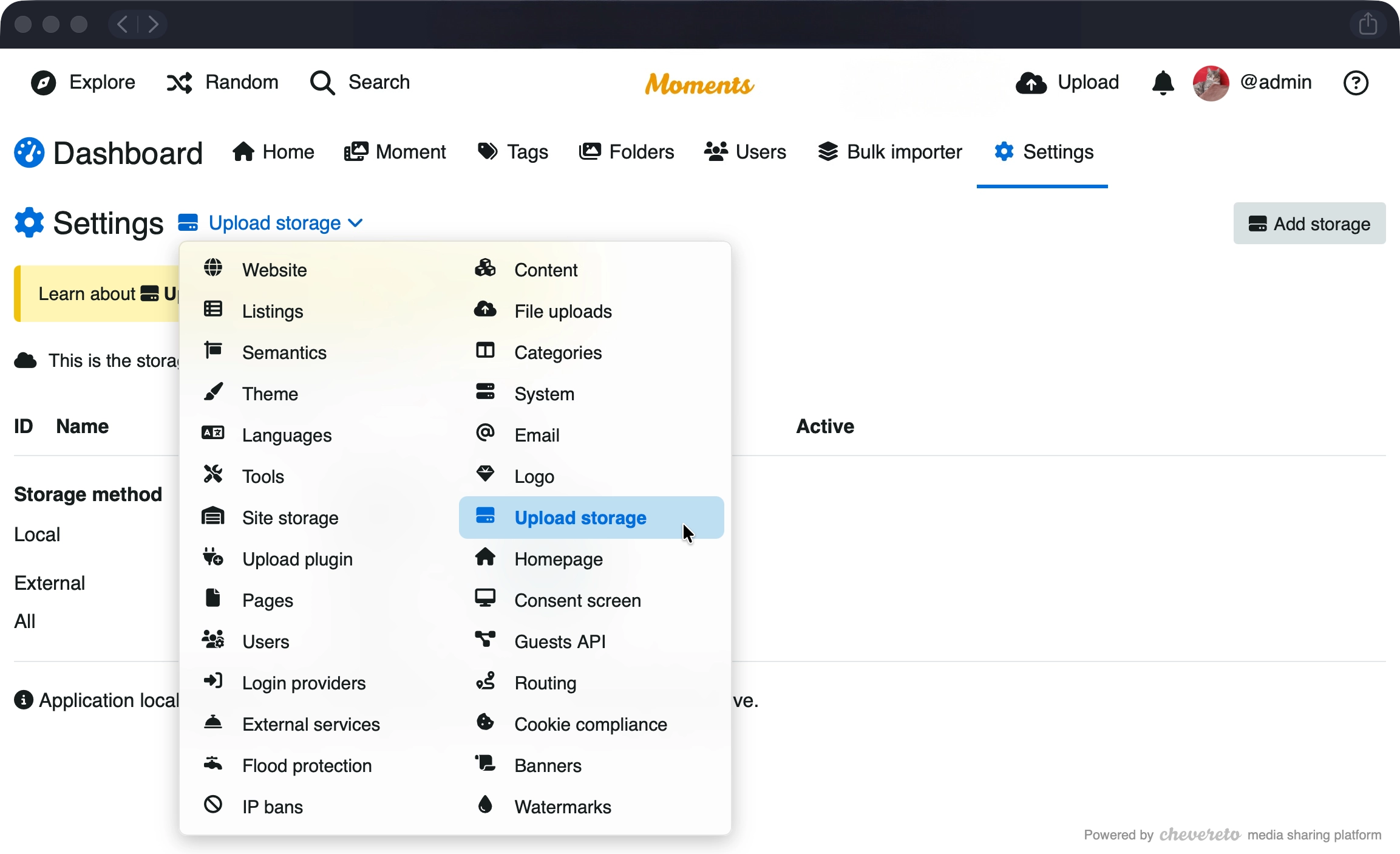
Chevereto Cloud applications upload user content to Upload storage. This is the storage where uploads will be stored.
- Navigate to your Chevereto Application Dashboard
- Go to Settings and click Upload Storage
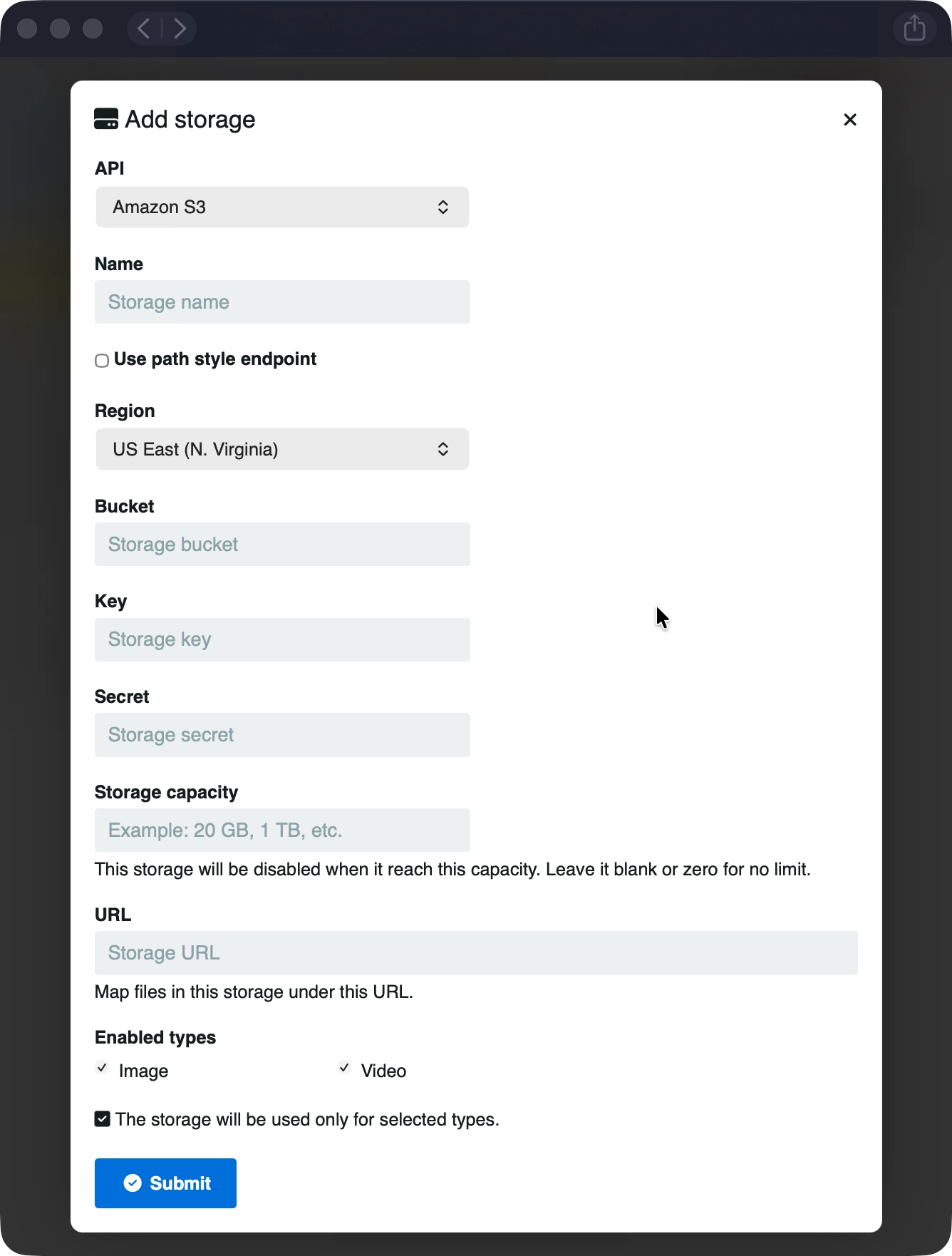
- Select Add storage
- Enter your provider's credentials (API, Endpoint, Region, Access Key, etc.)
- Click Submit
Site Storage
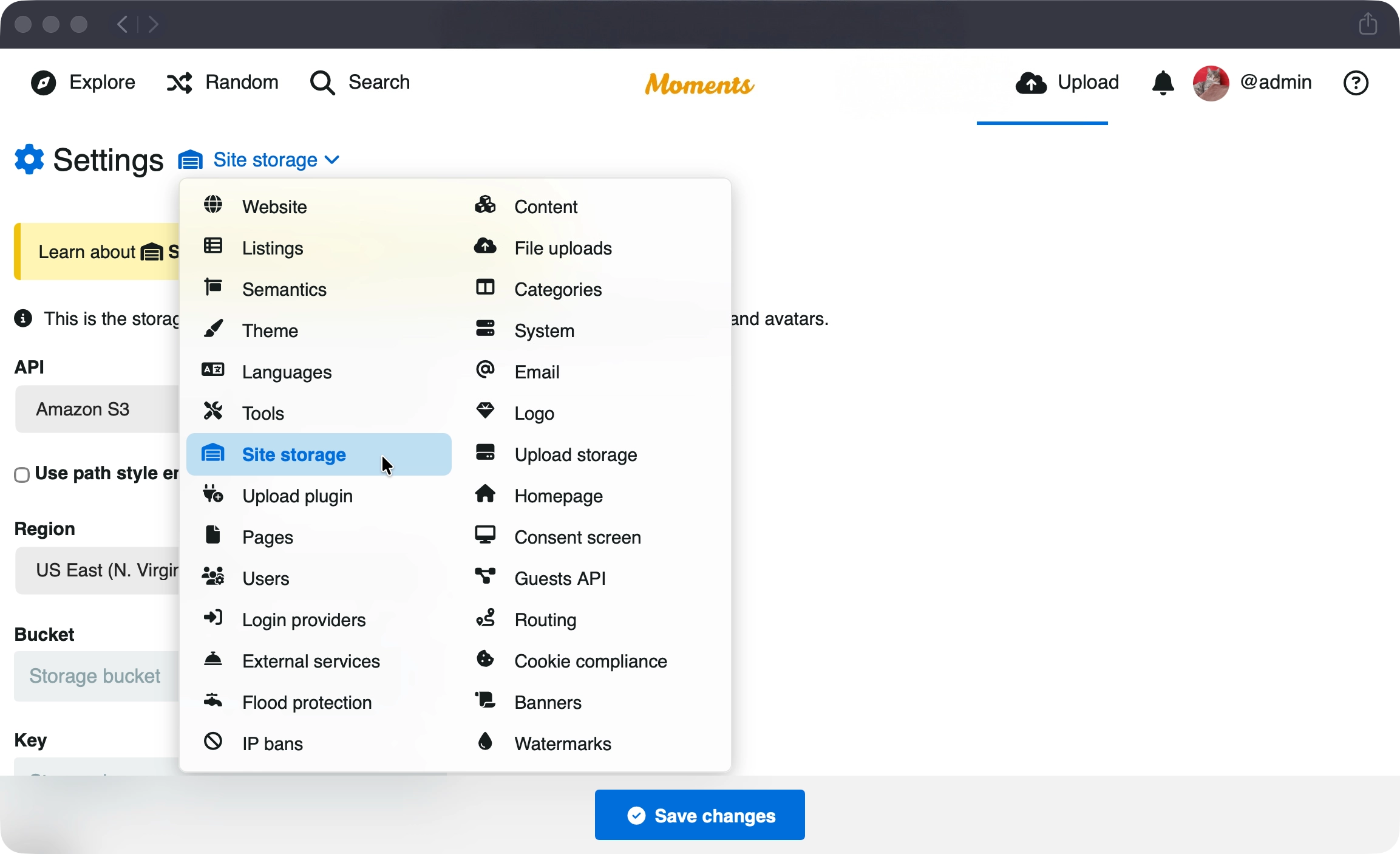
Chevereto Cloud applications upload website assets to Site storage. This is the storage for website and user assets, such as background images, covers, and avatars.
- In your Chevereto Application Dashboard go to Settings
- Click Site storage
- Select the corresponding storage API and fill the required fields.
- Click Save changes
Technical documentation
For more advanced configuration and examples, see the Upload Storage advanced documentation.