Documentation
Get started
Quickstart
This guide will take you from a fresh account to a live Chevereto instance in minutes.
Create Application
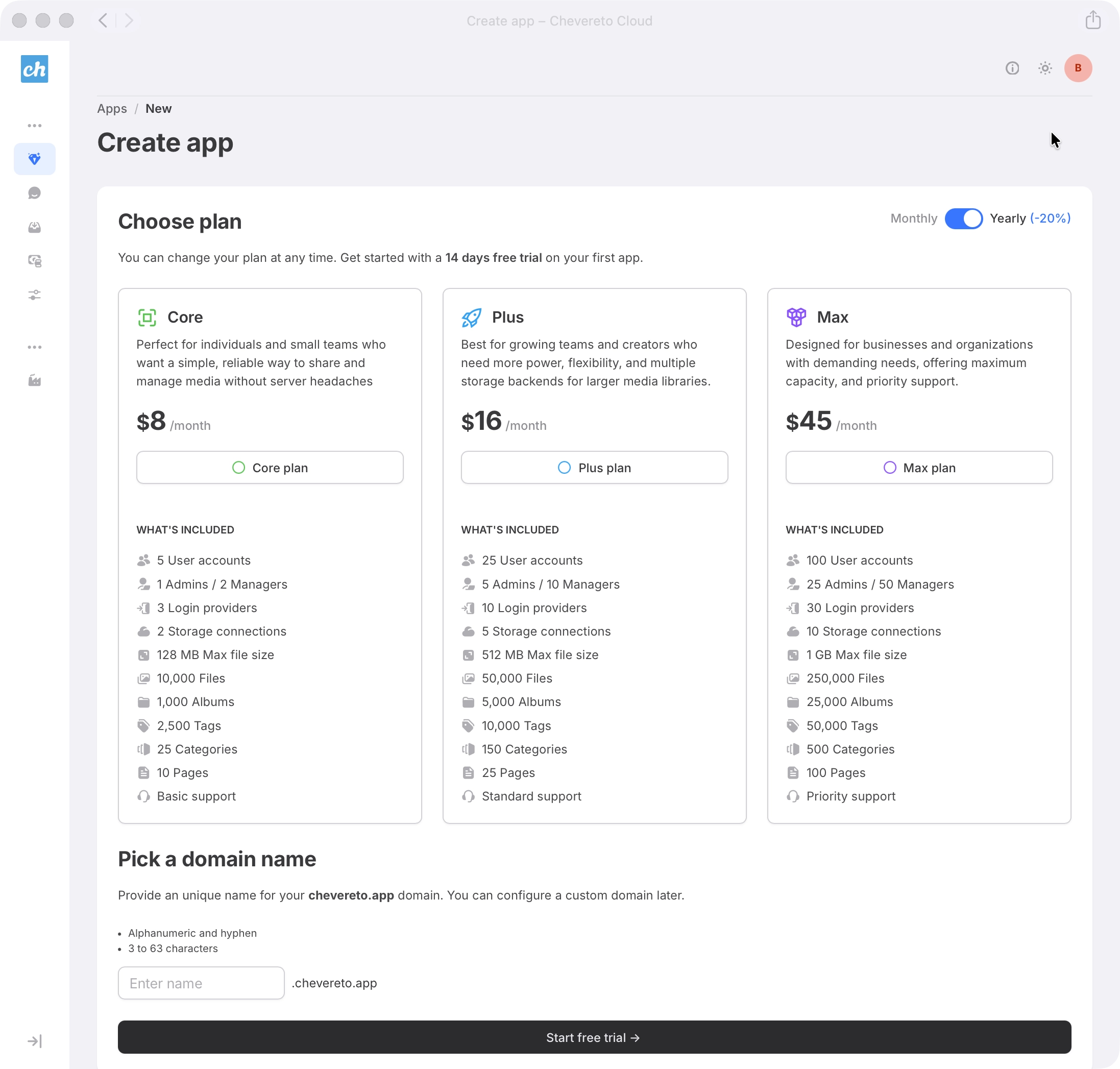
Create your first Application in a few steps:
- Navigate to the Apps section in your dashboard and click Create app.
- Select a Plan: Choose the resources that fit your current needs. You can scale your plan vertically as your traffic grows.
- Choose a Domain: Provide an unique name for your chevereto.app domain. You can configure a custom domain later.
- Submit: Review the details and click Start free trial.
Manage your Application
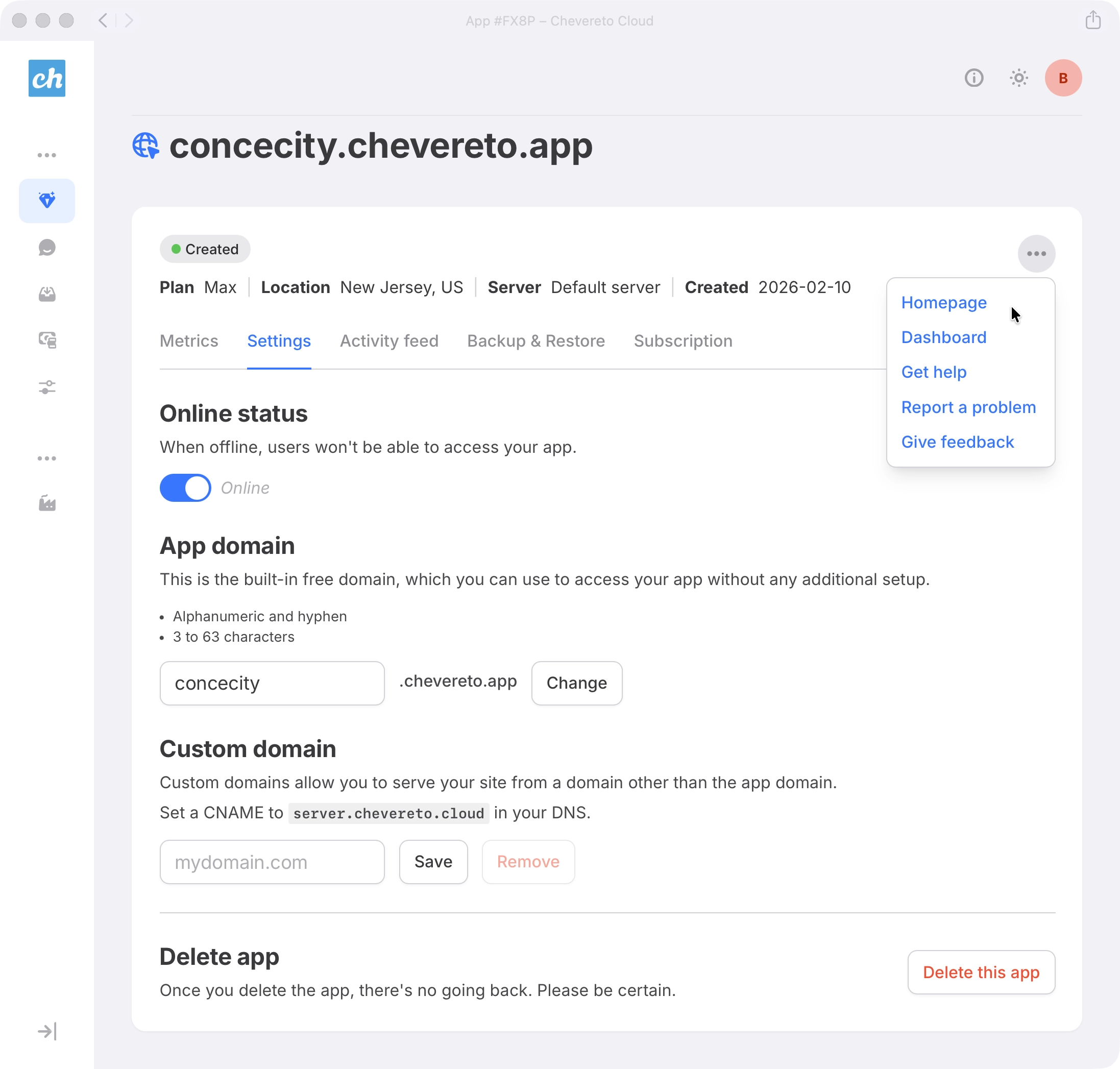
Once submitted, your application will be provisioned and ready within minutes. You can then access and configure it from your dashboard.
- In your Apps section, click on the Application to access its settings.
- Explore the available options to familiarize yourself with your Application.
Next steps
- Secure your access: Enable Passkeys and/or 2FA in your Account settings.
- Connect Storage: Configure Storage (S3, B2, etc.) to store your media files outside the app server.
- Transactional Email: Configure an Email provider for outgoing email delivery.